
The reports you need for the bank, the accountant and the vendor meeting
On a single-owner store, reporting is a summary. On a multi-vendor store it is evidence — the thing you hand a vendor who disagrees, an accountant who needs the tax reconciled, and a lender who wants to see the building perform.
Grouped by the question you are asking
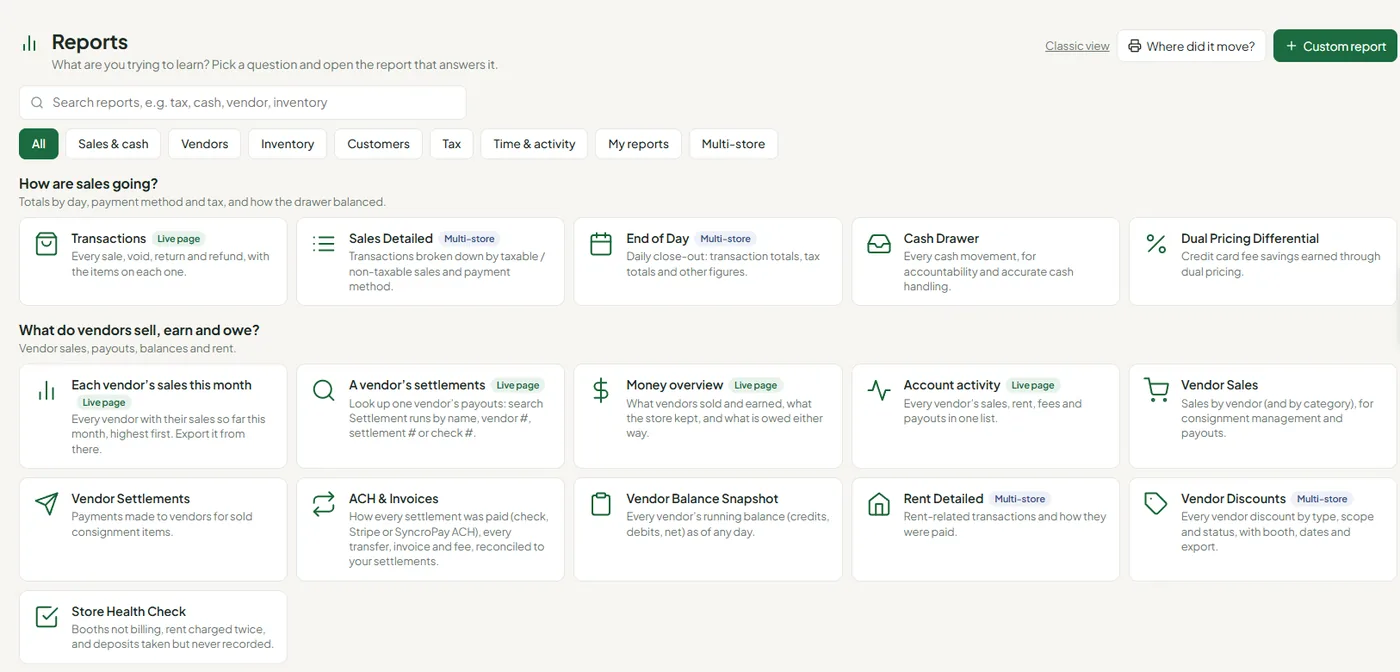
Closing out the day
End-of-day totals, a sales detail breakdown by taxable and non-taxable and payment method, cash drawer accountability, and a rent detail report. The set you actually run at close.
Who is carrying the floor
Top-seller reports across your vendors and their categories, plus sell-through by vendor and by category — which is how you decide what to stop taking in.
Expected against collected
Dual pricing makes sales tax harder, because the amount you should have collected and the amount you did are not the same arithmetic. The report puts them side by side so you can reconcile rather than estimate.
What it is worth
Inventory on hand with cost basis, so the value in your store is a figure rather than a guess — and vendor cost and profit where vendors track their own.
Who was on the clock
Time clock summaries per employee with date-range filters, for a store staffed by part-timers whose hours change every week.
Several buildings, one view
Consolidated reporting across locations on Enterprise, so you compare buildings instead of adding up their separate exports.
Who can see it, and who changed it
Reporting in a multi-vendor store is as much about scope as content. A vendor should see their business and nothing else; a cashier should see the register; a manager should see the day.
Being straight about limits
Vendor performance is reported as top sellers across vendors and categories. There is no arbitrary ranking by rent recovery or margin, and there is no scheduled email that pushes reports out on a timer.
If either of those is the thing you need, say so on the demo rather than discovering it in month two.
Questions worth asking
Can I get the raw data out?
Yes — reports export to CSV and other formats, and your inventory and ledger export too. You are not locked in by your own numbers.
Do vendors get their own reporting?
Yes, in their portal, scoped to their own business. That is what stops the office becoming a reporting desk.
How far back does history go?
Every settled cycle stays auditable, with a full history on the ledger rather than a rolling window.
Bring the report you cannot get today
Thirty minutes in the live software. Tell us the number you currently build by hand and we will find out whether it already exists.